Different shapes. Different views.
A gallery that fits them all.
A SMALL UTILITY. RIGHT IN YOUR MENU BAR.
Same Mac.
New perspective.
Fresh wallpapers. Every display.
A little less ordinary, automatically.
For macOS 26 and later
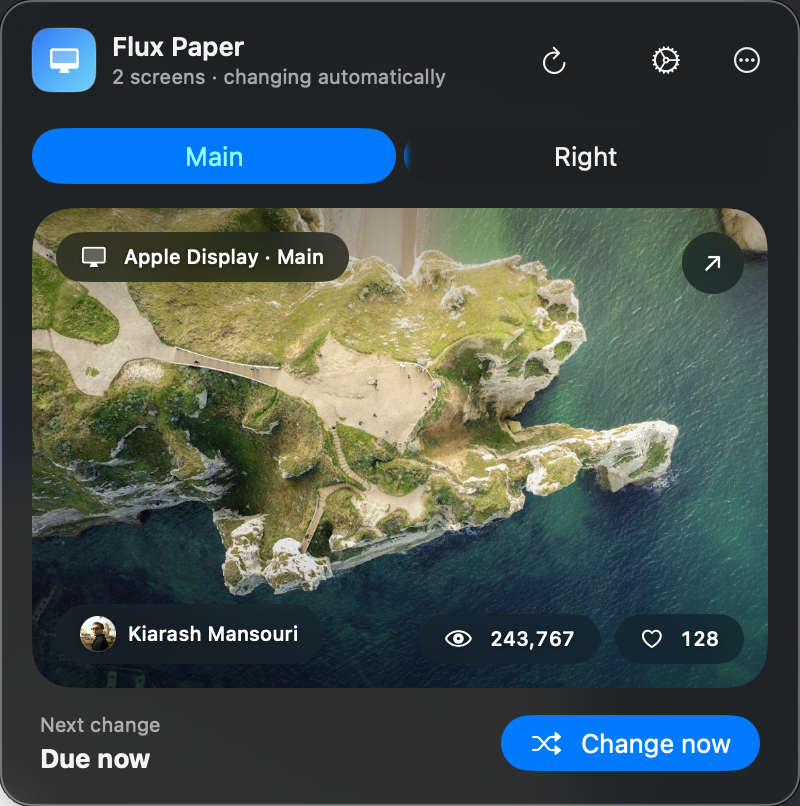
The real app, shown with two different views.
Your photos, timing, framing,
and an optional people filter.
Click its menu-bar icon.
Your next view is one click away.
A CHANGE OF SCENERY
Let the view
come to you.
Fresh photography arrives on your schedule. Every few minutes, once an hour, or once a day. When you feel like something different, click Change now.
Choose Featured photography, My Photos, or a mix of both. Give the things you love a little more screen time.
Find your next view
MADE TO FIT
A better frame.
For every screen.
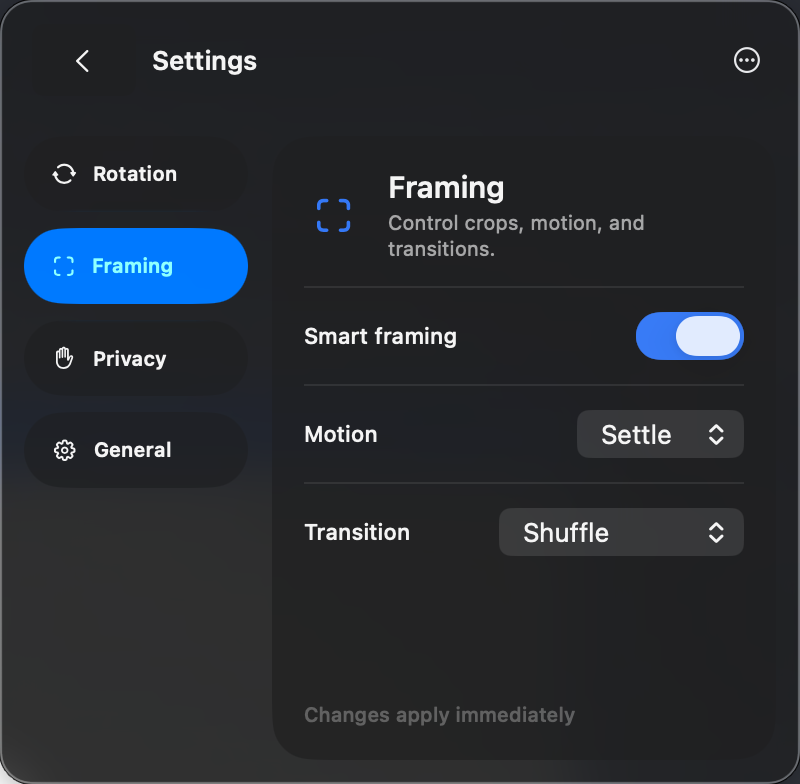
Your laptop and ultrawide don’t have to match. Smart framing considers each display and the subjects in the image when choosing a crop.
Keep things still, add a gentle settling motion, or let the view drift. Choose a transition that makes each change feel right.
Native controls. Liquid Glass. No extra app window.YOUR VIEW. YOUR CHOICE.
More scenery.
Fewer people.
Prefer landscapes, textures, and quieter scenes? Turn on Skip people to skip photos where Apple Vision detects a person or face.
The filter works with Featured and My Photos. Analysis happens on your Mac, and your Photos library stays on your device.
Read about privacy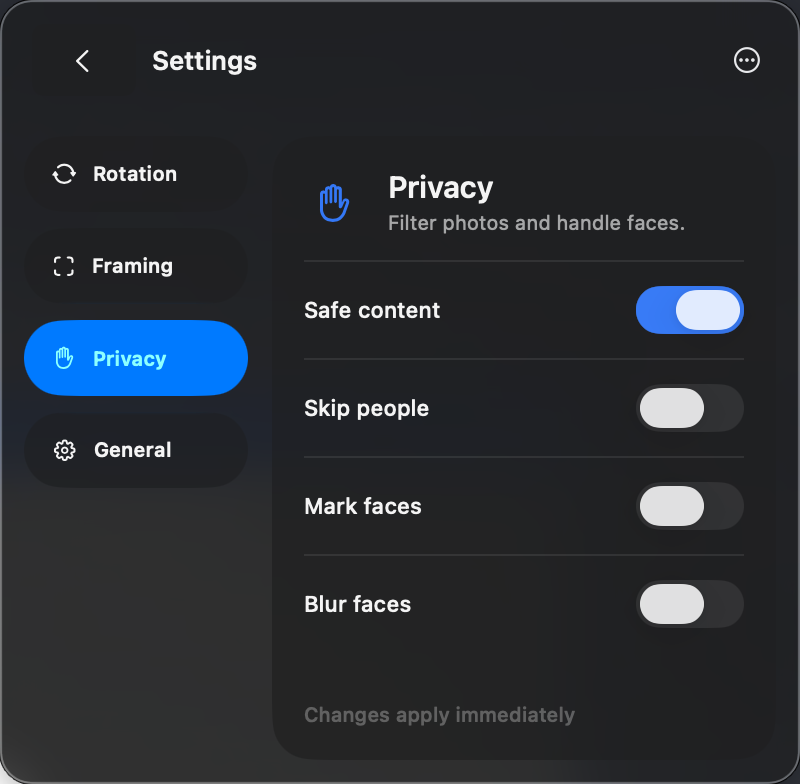
A few small details.
Where does FluxPaper live?
In your Mac’s menu bar. Click the display icon to see your current wallpapers, switch between screens, or open preferences. It’s a utility popover, so you don’t need to keep a separate app window open.
Can I use my own photos?
Yes. Choose My Photos or Mixed in Rotation preferences and grant the app access to your Photos library. Photos are selected and processed on your Mac.
Does it work with different displays?
Yes. FluxPaper gives each connected display its own wallpaper and adapts framing to its aspect ratio. Laptop, portrait, and ultrawide displays can all be used together.
How does the people filter work?
Enable Skip people in Privacy preferences. Apple Vision checks new candidates for people and faces on your Mac. Detection can miss a person; if a new photo can’t be checked or no suitable candidate is found, FluxPaper keeps your current view.
Which Macs are supported?
FluxPaper requires macOS 26 or later. The App Store listing has the current compatibility and availability details.

A fresh view is
a small, lovely thing.
Give your everyday desktop a little room to surprise you.
Get FluxPaper for your Mac Available on the Mac App Store · macOS 26+